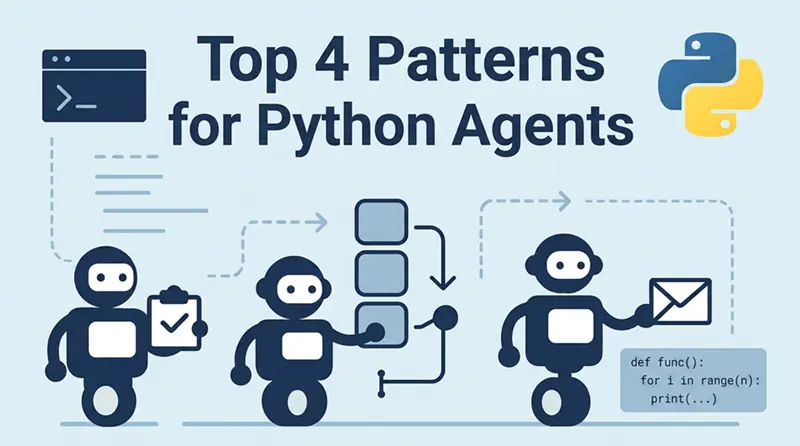
4个常用的Python智能体模式
在这篇文章中,我将更深入地探讨 Python 模块和实现策略,这些模块和策略使 Agent 能够通信、委派任务、管理短期和长期记忆,并将输出实时流式传输给用户。
在这篇文章中,我将更深入地探讨 Python 模块和实现策略,这些模块和策略使 Agent 能够通信、委派任务、管理短期和长期记忆,并将输出实时流式传输给用户。
1、计划性 Agent 任务
让我们从如何允许 Agent 刷新其知识库、同步数据或清理短期记忆开始。
以下是一些常见的用于计划任务的 Python 模块,我们也可以在 Agent 流水线中使用它们:
APScheduler— 简洁的 API,支持 asyncioschedule— 超级简单,但仅支持同步Celery Beat— 重量级,分布式cron + subprocess— 传统方式,但通常运行良好
尽管如此,对于大多数 Agent 用例来说,APScheduler 是一个很好的选择。让我们看一个获取最新 AI 新闻的 Agent 示例,这些新闻随后可用于回答问题。(这只是一个用于演示目的的示例)
目标: 每 30 分钟获取关于 AI 的最新文章,对其进行嵌入,并更新 Agent 的记忆(例如向量存储或本地文件)。
import asyncio
import aiohttp
from apscheduler.schedulers.asyncio import AsyncIOScheduler
from datetime import datetime

# Simulated embedding function
def embed_text(text):
    print("✅ Embedded:", text[:60], "...")
    # Replace with actual embedding + storage
    return f"vector({hash(text)})"

# Download latest articles from a public API (e.g. NewsAPI, here we mock it)
async def fetch_latest_ai_news():
    print(f"[{datetime.now()}] Fetching latest AI news...")
    # Replace with real API call
    sample_articles = [
        "OpenAI releases new tool for multimodal reasoning.",
        "Google DeepMind announces breakthrough in robotics learning.",
        "AI models are helping researchers simulate quantum systems."
    ]
    for article in sample_articles:
        embed_text(article)

# Schedule it
scheduler = AsyncIOScheduler()
scheduler.add_job(fetch_latest_ai_news, 'interval', minutes=30)
scheduler.start()

# Keep it running
async def main():
    while True:
        await asyncio.sleep(1)

asyncio.run(main())
你可以在许多其他业务场景中使用这种模式。例如,Agent 可以:
- 获取新的法律法规 以保持法律团队内部文档的最新状态
- 监控 GitHub 仓库 以查找与特定产品相关的代码变更
- 跟踪金融工具价格(例如股票、债券、加密货币)以更新仪表盘或触发警报
- 扫描市场趋势和宏观经济指标 以支持投资决策
- 监视竞争对手网站 以获取价格变动或产品更新
2、Agent 队列任务
在构建 Agent 框架时,并非每个任务都是即时的。有些需要时间——比如研究、长时间对话或生成完整报告。这些任务应该在后台运行,并具有重试、日志和可扩展性。
这就是任务队列发挥作用的地方。
以下是一些我们可以用于此任务的 Python 模块:
Dramatiq— 简单,异步友好Celery— 成熟,功能丰富,重量级RQ— 轻量级,与 Redis 配合使用
队列非常适合:
- Agent 执行长时间任务(例如摘要、搜索)
- 用户触发的操作("生成完整市场报告")
- 分布式设置——多个工作进程、重试、优先级
示例:通过队列实现多 Agent 协作
假设:
- Agent A 收到一个请求:"查找关于气候政策的见解"
- 它将任务发送给:Agent B:搜索最新文章
- Agent C:分析情感
- 当两者都完成后,Agent A 合并结果并返回最终输出
为简单起见,我们这里使用 Dramatiq。
import dramatiq
from dramatiq.brokers.redis import RedisBroker
from time import sleep
import random

redis_broker = RedisBroker()
dramatiq.set_broker(redis_broker)

# --- Agent B: searcher ---
@dramatiq.actor
def search_articles(topic):
    print(f"🔎 Searching articles on: {topic}")
    sleep(2)  # simulate delay
    return [f"Article about {topic} #{i}" for i in range(3)]

# --- Agent C: analyzer ---
@dramatiq.actor
def analyze_sentiment(articles):
    print("🧠 Analyzing sentiment...")
    sleep(2)
    return [{"text": a, "sentiment": random.choice(["positive", "neutral", "negative"])} for a in articles]

# --- Agent A: orchestrator ---
@dramatiq.actor
def run_deep_search(topic):
    print(f"📥 Starting deep search on: {topic}")
    articles_job = search_articles.send(topic)
    articles = articles_job.get_result(block=True)

    sentiment_job = analyze_sentiment.send(articles)
    analysis = sentiment_job.get_result(block=True)

    # Combine results
    summary = {
        "topic": topic,
        "analysis": analysis
    }

    print("✅ Final summary ready:")
    print(summary)
输出可能如下:
📥 Starting deep search on: climate policy
🔎 Searching articles on: climate policy
🧠 Analyzing sentiment...
✅ Final summary ready:
{'topic': 'climate policy', 'analysis': [some analysis here]}
3、Agent:快速、轻量、无记忆的任务
并非所有任务都需要调度或队列。有时,你只是希望 Agent 对事件立即做出反应——记录日志、发送通知或触发后续操作——而无需等待它完成。
可以把它想象成:
"在后台快速做这件事,然后继续!"
潜在用例(何时使用):
- 记录事件(例如"用户打开了聊天")
- 触发 Webhook 或响应 Webhook
- 发送警报/通知
- 触发 UI 更新
- 快速本地处理,不需要记忆
不需要 Redis。不需要调度器。只需要速度——以下是一些我们可以用于此类场景的模块:
asyncio.create_task()— 原生支持,适用于异步应用FastAPI BackgroundTasks— 适用于 Web 端点的简洁方案threading.Thread— 可行,但在异步环境中不理想
示例:Agent 触发时的即时日志记录(FastAPI)
Agent 收到一个 API 调用,如"用户刚刚点击了按钮",记录日志并立即回复——日志记录在后台进行。
from fastapi import FastAPI, BackgroundTasks
from datetime import datetime

app = FastAPI()

def log_event(event: str):
    print(f"[{datetime.now()}] Logged event: {event}")

@app.post("/agent/event")
async def handle_event(event_type: str, background_tasks: BackgroundTasks):
    background_tasks.add_task(log_event, event_type)
    return {"status": "received"}
另一个示例:使用 asyncio.create_task()
对于 Agent 内部调用,你可以使用原生 asyncio:
import asyncio
from datetime import datetime

async def notify_ui(message):
    await asyncio.sleep(0.1)
    print(f"[{datetime.now()}] UI Notified: {message}")

# somewhere in the agent
def on_user_action(msg: str):
    asyncio.create_task(notify_ui(msg))
    print("🔔 Task started, not waiting!")
4、实时任务和流式操作
当 Agent 实时响应时,它们感觉更智能——不是最后给出一个大的回复,而是在思考的过程中流式输出。
无论是来自 LLM 的逐 token 输出,还是后台作业的实时日志,实时用户体验都会产生巨大的差异。
何时可以使用:
- LLM 输出流式传输到前端
- 显示 Agent 进度("分析中…"、"即将完成…")
- 在事件发生时发送日志、事件或信号
- 通过实时 UI 保持用户参与
用于流式传输的 Python 模块
sse-starlette— Server-Sent Events(在 FastAPI 中易于使用)FastAPI + Websockets— 双向流httpx.AsyncClient— 异步 Agent 到 Agent 调用
示例 1:流式传输 Agent 输出(SSE)
通过 Server-Sent Events 实现的简单 Agent 响应:
from fastapi import FastAPI
from sse_starlette.sse import EventSourceResponse
import asyncio

app = FastAPI()

@app.get("/stream-response")
async def stream():
    async def event_generator():
        messages = ["Thinking...", "Analyzing...", "Almost done!", "Here's your result."]
        for msg in messages:
            await asyncio.sleep(1)
            yield {"data": msg}
    return EventSourceResponse(event_generator())
示例 2:通过 WebSocket 实现 Agent 到 Agent 的流式传输
from fastapi import FastAPI, WebSocket
import asyncio

app = FastAPI()

@app.websocket("/ws/agent")
async def agent_ws(websocket: WebSocket):
    await websocket.accept()
    await websocket.send_text("🤖 Agent connected. Waiting for task...")
    while True:
        task = await websocket.receive_text()
        await websocket.send_text(f"Working on: {task}")
        await asyncio.sleep(2)
        await websocket.send_text("✅ Done!")
5、结束语
如你所见,上述 Python 模块为构建你自己的 Agent 框架提供了广泛的可能性。
想象一下你的 Agent 任务生命周期可能是这样的:
- 用户通过 FastAPI 向 Agent 发送提示
- API 使用 Dramatiq(以 Redis 作为 broker)将任务入队
- 任务启动 Agent,Agent 从 ChromaDB 读取并通过 asyncpg 将结果写入 PostgreSQL
- 任务完成后,Agent 使用 aiosmtplib 发送电子邮件
- 每小时,APScheduler 运行一次以清除短期记忆
因此,本质上,你理想的生产技术栈可能是:
- FastAPI — 用于 Agent 输入和输出的 REST/SSE API 处理
- Dramatiq + Redis — 用于带持久化的后台任务队列
- APScheduler — 用于调度周期性作业,如清理和同步
- asyncpg + PostgreSQL — 用于持久存储和短期记忆
- ChromaDB 或 FAISS — 用于嵌入和长期记忆
- aiosmtplib — 用于发送电子邮件通知
- sse-starlette — 用于使用 Server-Sent Events 将实时数据流式传输到前端
- httpx — 用于对外部服务的异步 HTTP 调用
原文链接: Patterns for Building Your Own Python Agent Framework
汇智网翻译整理,转载请标明出处
这是「Agent / MCP」专题的一部分。完整地图见:Agent / MCP / 自动化完全指南